- Published on
VerifAI: Auditing
- Authors

- Name
- John Moreno
Design principle running through every feature: VerifAI suggests, the auditor decides. The system never auto-selects standards, methodologies, or templates on the user's behalf — it proposes and lets the user confirm.
Regulation
These are the regulations currently ingested in VerifAI — the VERRA_VCS framework (the Verified Carbon Standard program by Verra). Modules are on the roadmap but not yet ingested.
Standards
- VCS Standard v4.7
- VCS Standard v5.0
Methodologies
- VM0003 — IFM Through Extension of Rotation Age, v1.3
- VM0005 — Improved Forest Management, v1.2
- VM0006 — REDD Mosaic Methodology, v2.2
- VM0007 — REDD Methodology Framework, v1.8
- VM0010 — IFM LtPF, v1.4
- VM0011 — IFMLtpF, v1.0
- VM0015 — Avoided Unplanned Deforestation, v1.2
- VM0035 — RIL-C Methodology, v1.0
- VM0042 — Improved Agricultural Land Management, v2.2
- VM0045 — IFM, v1.2
- VM0047 — Afforestation, Reforestation and Revegetation, v1.1
- VM0048 — Reducing Emissions from Deforestation and Forest Degradation, v1.0
- VM0049 — Carbon Capture and Storage, v1.0
Templates
- VCS Monitoring Report Template — v4.4, v5.0A, v5.0B
- VCS Project Description Template — v4.4, v5.0A, v5.0B
Auditing
Session-based project review
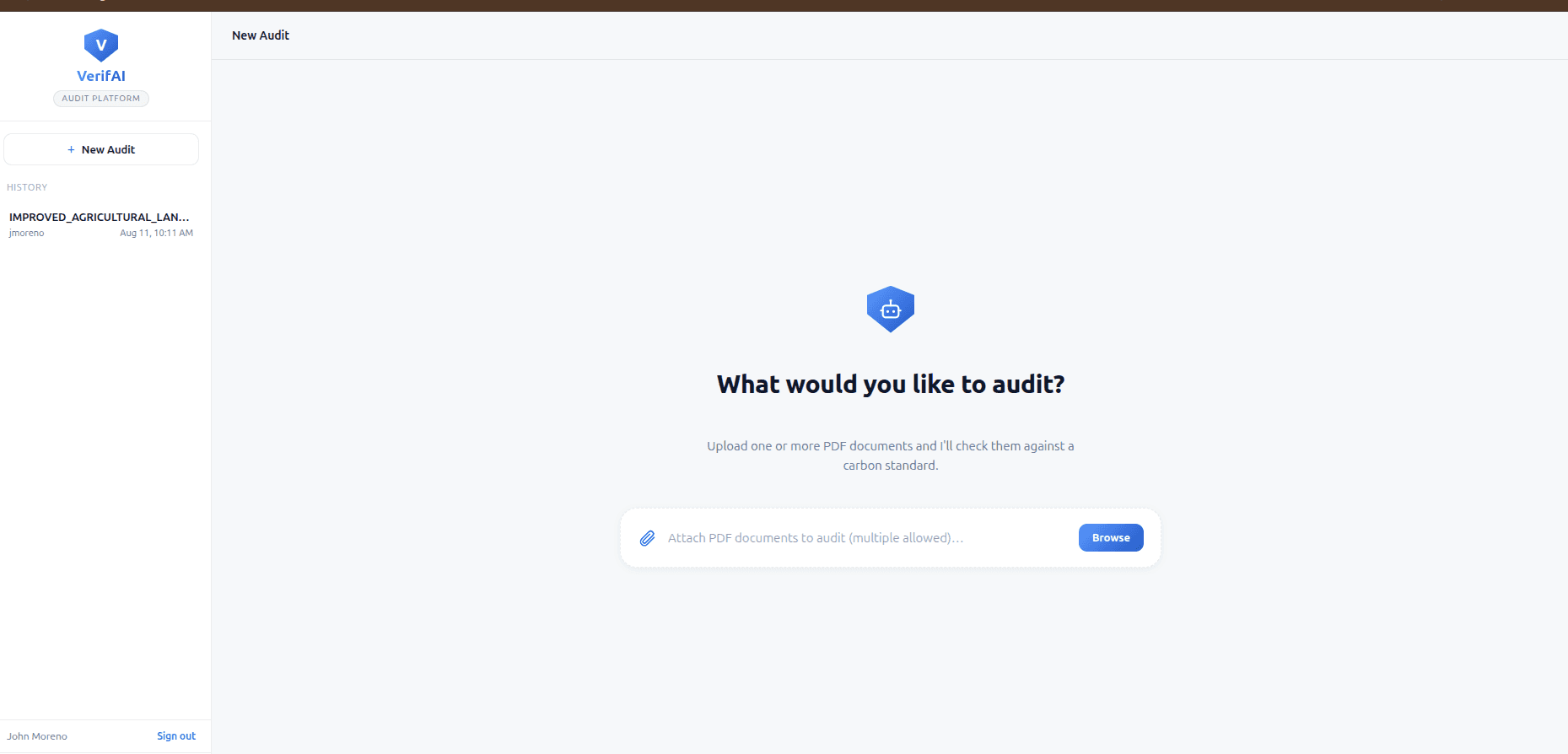
Auditors upload project documents (PDD, Monitoring Report) into a session. Processing is asynchronous — the upload returns immediately and a background worker handles conversion, table-of-contents extraction, chunking, and section grouping — so the interface stays responsive on large files.
Metadata suggestion from the cover page
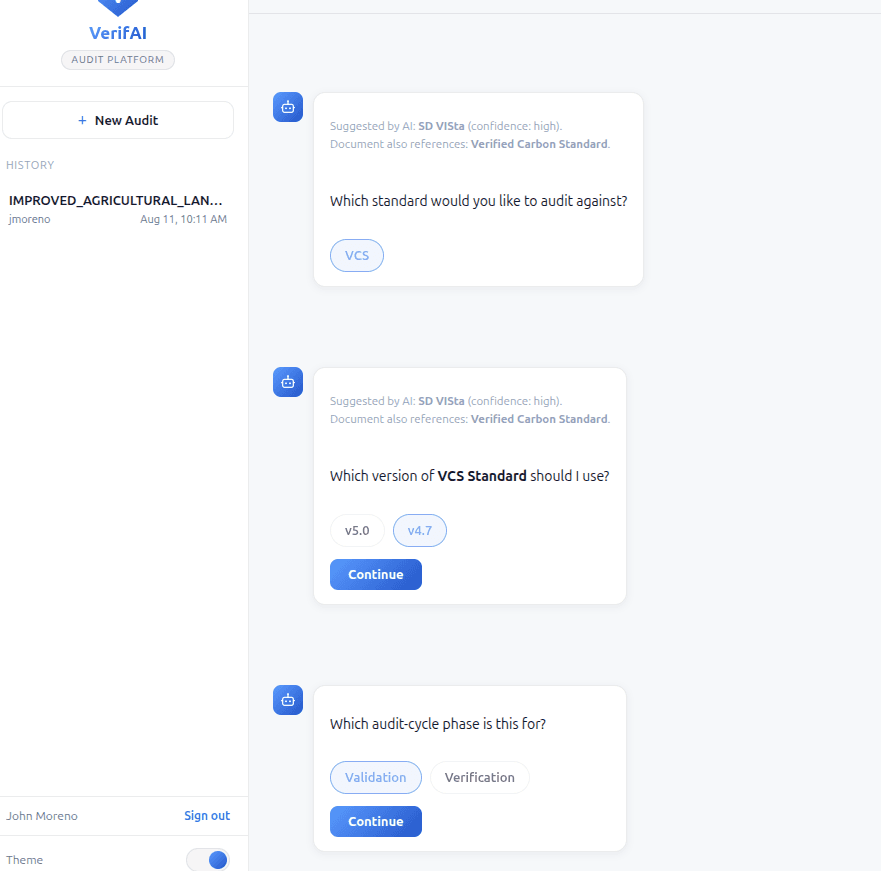
On upload, the system reads the first few pages of a project document and suggests the Standard version, document type, and project start date — with the exact evidence phrase and a confidence level for each. It also flags joint-certification projects (e.g. a project registered under both SD VISta and VCS). Everything is a suggestion the auditor confirms or overrides; low-confidence fields are surfaced for manual entry rather than guessed.
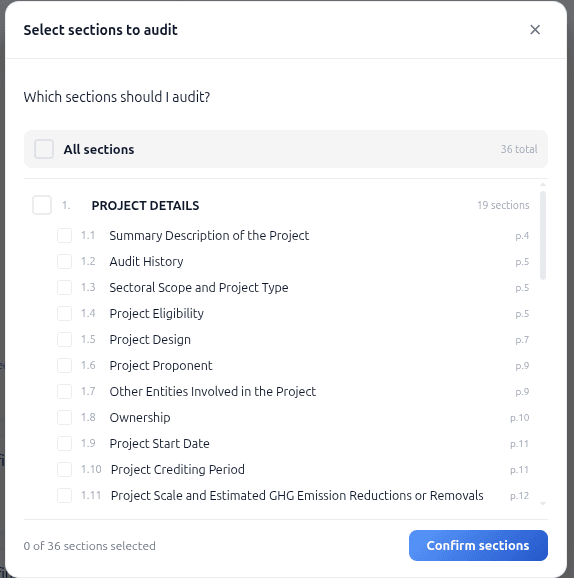
Section-level auditing
LLM findings with verdicts
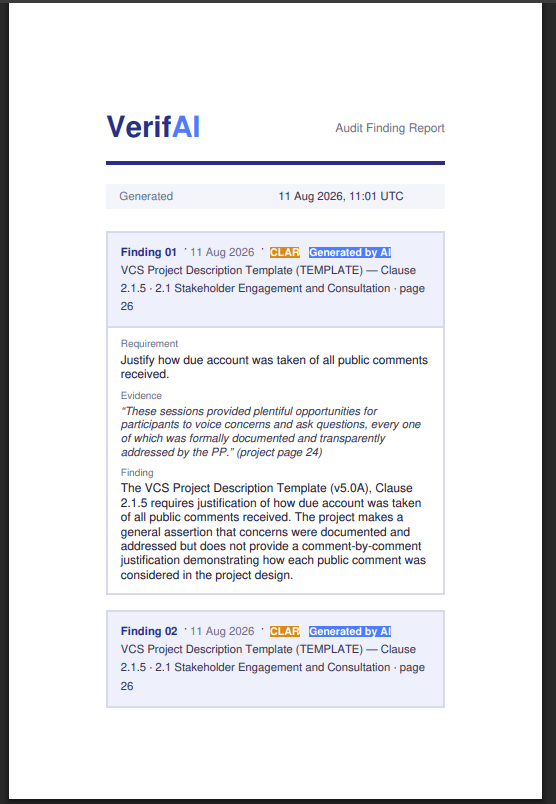
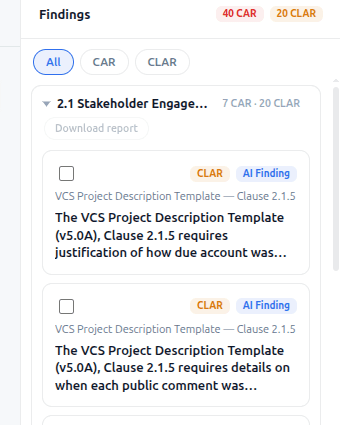
Each requirement is evaluated and, when not fully satisfied, produces a finding with a verdict: CAR (Corrective Action Request — missing or incorrect) or CLAR (Clarification Request — present but incomplete or ambiguous). Fully satisfied requirements produce no finding, keeping the report focused on what needs attention.
Cross-document evidence anchoring
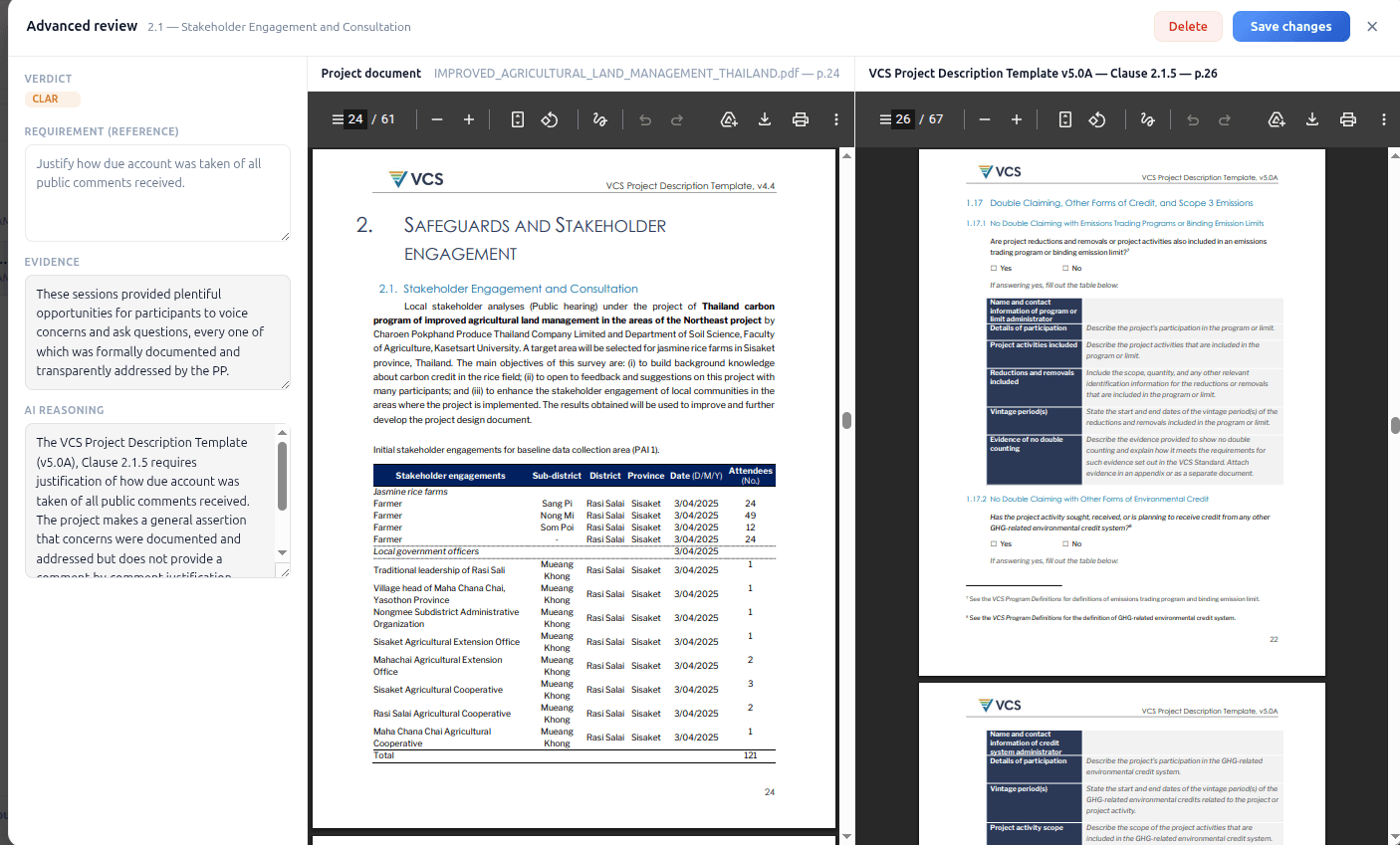
Every finding is anchored across two documents: the requirement in the regulation on one side, the project's actual text on the other. Findings cite the specific clause and the section of the project where the evidence should appear.
Evidence verification
The quoted evidence in each finding is matched verbatim against the project's real content chunks — the system never trusts a page number the model claims to have used. A flag indicates whether the citation was verified against the source.
Traceable provenance in findings
A finding for a tool requirement reads, for example, "not compliance VT0001 v3.0, required by VM0007 v1.8" — every finding traces back to the exact document and version it came from, and to the methodology that pulled in a required tool.
Incremental, real-time findings
Findings are persisted batch by batch as the audit runs, so a client polling the audit sees results appear in real time rather than waiting for the entire run to complete.
Human-editable findings
Auditors can edit, add, or delete findings. Any edited finding is marked as human-authored regardless of who changed it, preserving the distinction between machine-generated and human-reviewed content.
PDF report generation
Selected findings can be compiled into a downloadable PDF report — effectively a draft of the validation/verification report the auditor produces.